
Theme by Texen
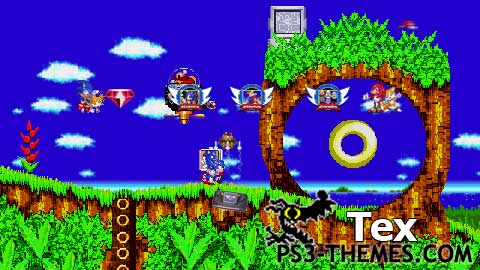
Sonic The Hedgehog Theme (Custom-made Icons and Dynamic Wallpaper)
Dynamic Wallpaper tested in SD and HD resolutions
Dynamic Wallpaper made up of 32 frames at 1280×720
Icons made by me using Sonic 2 and 3 Sprites from www.spriters-resource.com/genesis/sonicth3/index.html
Dynamic Theme made using tutorials from Glowball, Faxtron, and a100miles2go.
Sprite Credits: SupaChao, Gold Sonic, Rob Fox, Scott Prower, DiabloHead, Sonic Neo, Bryn2k, Sparks AKA Snowflake, Skylights, Julio the Armadillo, Utter Nonesense Productions (now defunct), Hybrid, Frario
Download Here
this a good theme but can you ,a sege genesis retro theme
This is great. I get to watch the old games without having to play them. Space Harrier would be a cool theme.
The colorful Sega style. I love it.
Thanks, this is my favorite sonic theme. I like the monitor icons.
AWESOME THEME, you should be proud.
wow, just wow! i have downloaded both your mario and this theme! i gotta say, much better than anything ive ever attempted!! was wondering if you take requests?? if so i was wondering if a zelda theme (any of the games) could be requested? thanks for the efforts and for your time!!
Street Fighter would be very simple to loop smoothly so I’ll see what I can do. It’s a bit time consuming to make when making these looping sprite wallpapers and the icons so I can’t promise that it will be out very soon.
Great theme Texan , Could you make an super nintendo street fighter theme That would be Awesome Ive been looking around the site but your old school themes are the best ;D
I actually wanted to do that and gotten all the sprites ready.. but the number of frames I can use is limited 🙁
should of made him go on the loop.
Once again you did an awesome job. can’t wait to see more of your work and thanks
I see! Thanks for your advice. I’m going to try it out sometime in the near future.
Now THIS is what I’m talking about! This is excellent!
Sorry i dont know why the example dont show in the message but find in the .xml were said : “bgimagetable” and there add all the anim_1 you want in the theme.
Example :
bgimagetable
bgimage anim=”anim_1.jpg”
bgimage anim=”anim_2.jpg”
@Texen Its simple bro if you want to create a MDT theme you have to edit in the .xml were said “” and there you have to add all the anim_1 you want for the theme.
Example :
thanks for feedback
@GlowBall
How do you do that? and if that’s the case I bet I could fit several 8bit animated scenes in one theme.
Perfect animated theme I like it thanks ! 10\10
In my opinion this is the best animated theme i’ve seen so far 🙂
mmm… the file size is low so maybe you could make an MDT with this so the animation switches when the XMB is re-booted.
keep em coming man this it great, especially the quality. this is better than the official sonic theme on the playstation store 🙂 You should make a donkey kong country theme or any classic Nintendo games like MK, mega man and zelda.