
Theme by Madgod / Rogue Knight
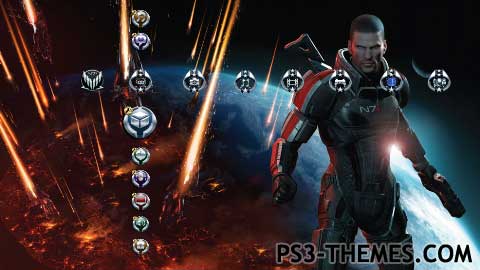
Very similar to a earlier posted dynamic Shepard theme of mine, this one had new, better icons – mostly from Rogue Knight’s terrific Mass Effect theme. Missing icons have been added, and the home row set changed to suit the theme a bit better. This dynamic theme, much like the last, just has a simple smoke blowing across the bottom of the screen – but this time it has 2 wallpapers instead of just the 1. Enjoy.
Download Here
Download Here
Thanks ! Good job here.
Info – the latest Firmware update on PS3 added a ”new” icon to the XMB. However, this icon is only new to a few regions. I use a Europe account, which have always had this TV icon listed in the Home Row. Because of such, you’ll find that this theme, and all other themes created by me, are still fully compatible with this recent firmware.
Antitidus answered it pretty well, but I’ll just add that if you use the PS3 Theme Builder (can find it right here on PS3-Themes.com, check http://www.ps3-themes.com/ps3-theme-builder ) you can click Generate Preview which lets you choose what one of your wallpapers (if you added multiple backgrounds to your theme) to use and even what type of homerow you want to use to show off the icons. One shows all buttons, one is only home row, and so-on. Last I check it doesnt show you what the background looks like in the select screen, you just pick them by number. The first wallpaper in your list would be Background 00, not 01. Just take note of what order your prefered wallpaper is in, select its number and hit save. You should now see the selected wallpaper and icons in effect in the small preview area of the theme builder. You can find the actual theme preview picture it just saved in the themes folder, like Antiitdus described. It usually saves one preview and one preview_large. Just go to the folder and browse for it, it should be there. May want to make a copy of it and place it in a easy location to find for when you upload it to Ps3-themes.
Its in the folder you made the theme at. When you open a folder it shows all the picture you use. Go to my documents. then Playstation themes. and open that folder. You’ll see a picture created and that is your preview.
hey can you tell me how to make a preview like that. Im trying to upload my themes but i dont know how to make a preview